Big News from Savvy Pet: A+ Security Rating & Introducing MOTO Payments
We've got two exciting updates to share this month.
The first is something that's been happening quietly behind the scenes. The second is one of our biggest payment features to date.
An A+ for Security
When your customers book online or enter their payment details, they're trusting both your business and ours.
That's why security is something we continually invest in.
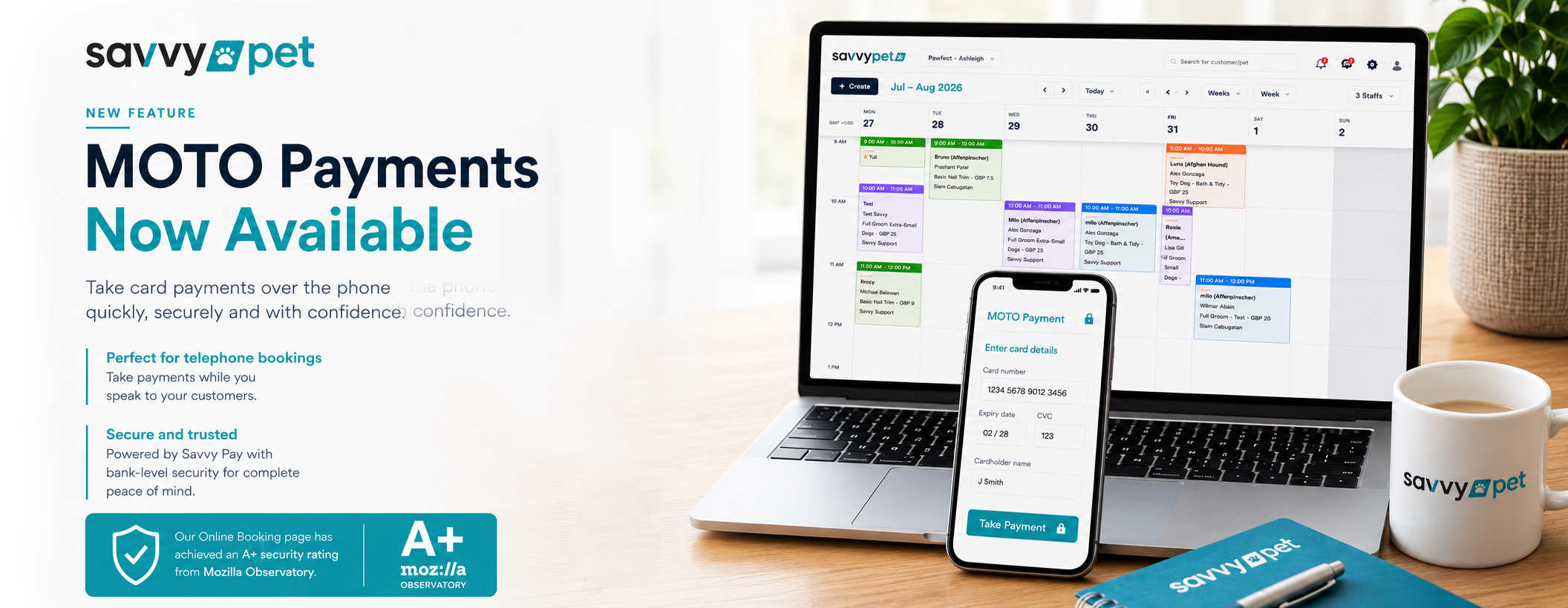
We're delighted to share that the Savvy.pet (V3) Online Booking page has achieved an A+ security rating from Mozilla Observatory, an independent website security testing platform that assesses websites against a wide range of security standards.
It's a fantastic achievement for the team and gives you extra reassurance that your online booking system has been built with security at its heart.
Most customers will never know it's there, and that's exactly how good security should be. Quietly protecting your business and your customers every day.
Introducing MOTO Payments
We're also excited to launch MOTO payments, now available through Savvy Pay.
MOTO stands for Mail Order / Telephone Order. While the name sounds technical, the idea is actually very straightforward.
It allows you to securely enter your customer's card details while you're speaking to them, making it ideal for telephone bookings or whenever a customer would rather give their card details over the phone.
Instead of ending the call, sending a payment link and waiting for the customer to complete it later, you can take the payment there and then.
For salons that regularly take bookings over the phone, it's a quicker, simpler experience for both you and your customers.
How is this different from Card on File?
It's a good question because the two features work alongside each other.
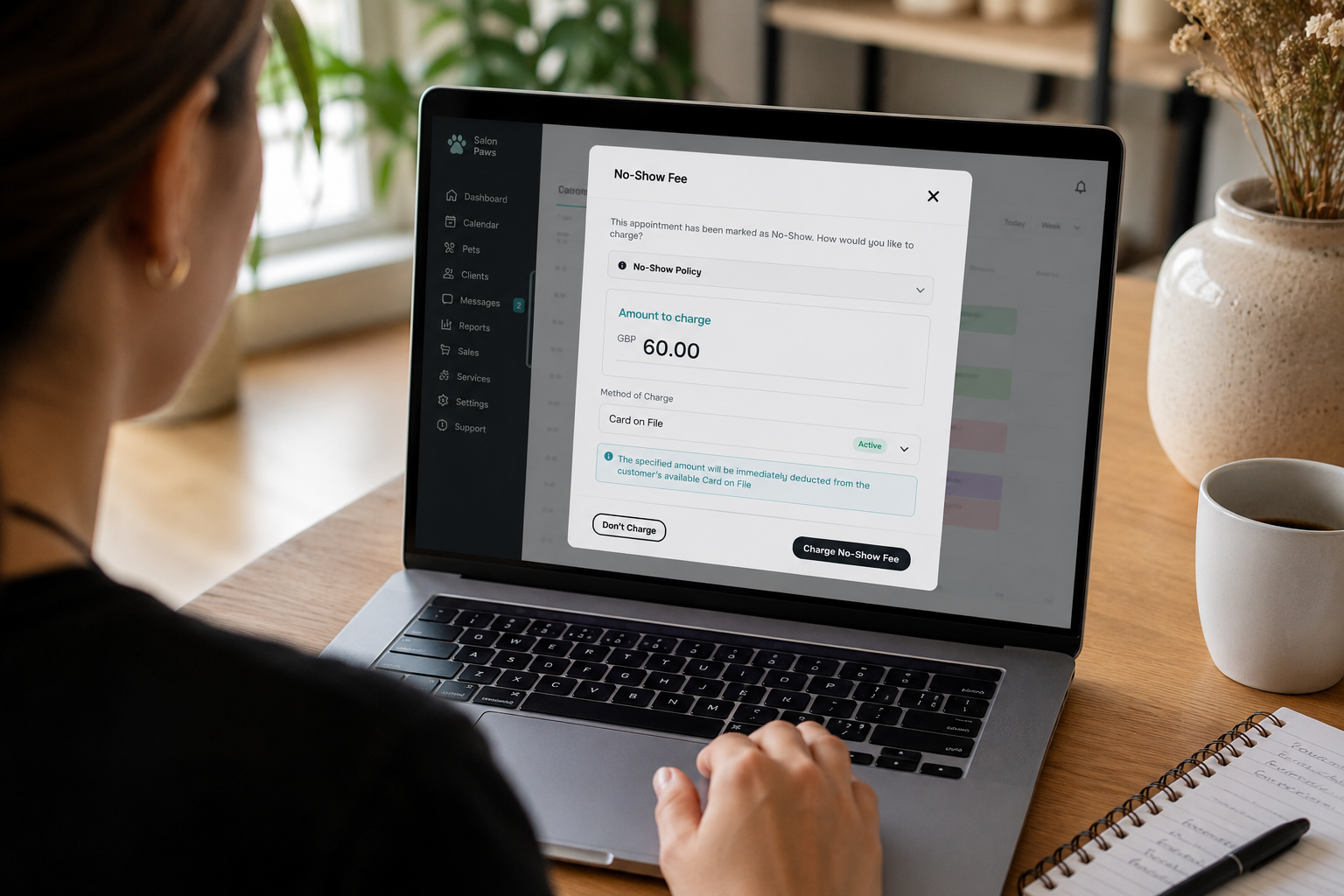
With Card on File, your customer enters their own card details using a secure payment link or through Online Booking. Their card is then securely stored, with their permission, so you can take future authorised payments, such as deposits or cancellation fees, in line with your terms and conditions.
With MOTO payments, you enter the customer's card details yourself while you're speaking to them. The payment can be taken immediately without needing to send a payment link first.
In short:
- Card on File – the customer enters their own card details.
- MOTO Payments – you enter the customer's card details during the phone call.
Both are fully secure and both are powered by Savvy Pay. They simply give you different ways of taking payments depending on how your customer chooses to book.
More Than Just MOTO
MOTO payments are the latest addition to Savvy Pay, our fully integrated payment solution.
Depending on how you run your salon, Savvy Pay allows you to:
- Take deposits or full payments through Online Booking.
- Offer customers Card on File for future authorised payments.
- Take MOTO payments over the phone.
- Send secure payment requests and invoices.
- Process in-salon payments through your integrated POS card terminal, with payments automatically linked to the correct customer and appointment.
Everything works together inside Savvy.pet, giving you one simple place to manage your bookings and payments.
What Do I Need to Do?
I'm using Savvy Pet Spa Classic (V2)
To use Card on File, MOTO payments and the rest of the Savvy Pay features, you'll first need to upgrade to Savvy.pet (V3).
Our Customer Services team will guide you through the process and make the move as smooth as possible.
I'm already using Savvy.pet (V3)
You're ready to go.
If you haven't already activated Savvy Pay, simply head to Settings within Savvy.pet and complete the quick setup. Once it's activated, you'll be able to start using Card on File, MOTO payments and the full range of Savvy Pay features.
I'm new to Savvy Pet
Welcome!
Your first step is to create your Savvy.pet account. Once you're up and running, you can activate Savvy Pay from Settings and immediately start taking payments through Online Booking, Card on File, MOTO payments, payment requests and your integrated card terminal.
If you need any help, simply open Instant Chat from within Savvy.pet. Our Customer Services team will be happy to help you every step of the way.
As we continue developing Savvy.pet, our focus remains the same: giving grooming businesses secure, practical tools that make everyday jobs a little easier, whether that's protecting customer data or making it simpler to get paid.
End of article